


To do, Home and Bills
The boards for things that are not school: jobs around the house, bills, and the general list. What goes where, how things get on them, and ticking off.
Updated 28 September 20261 min read
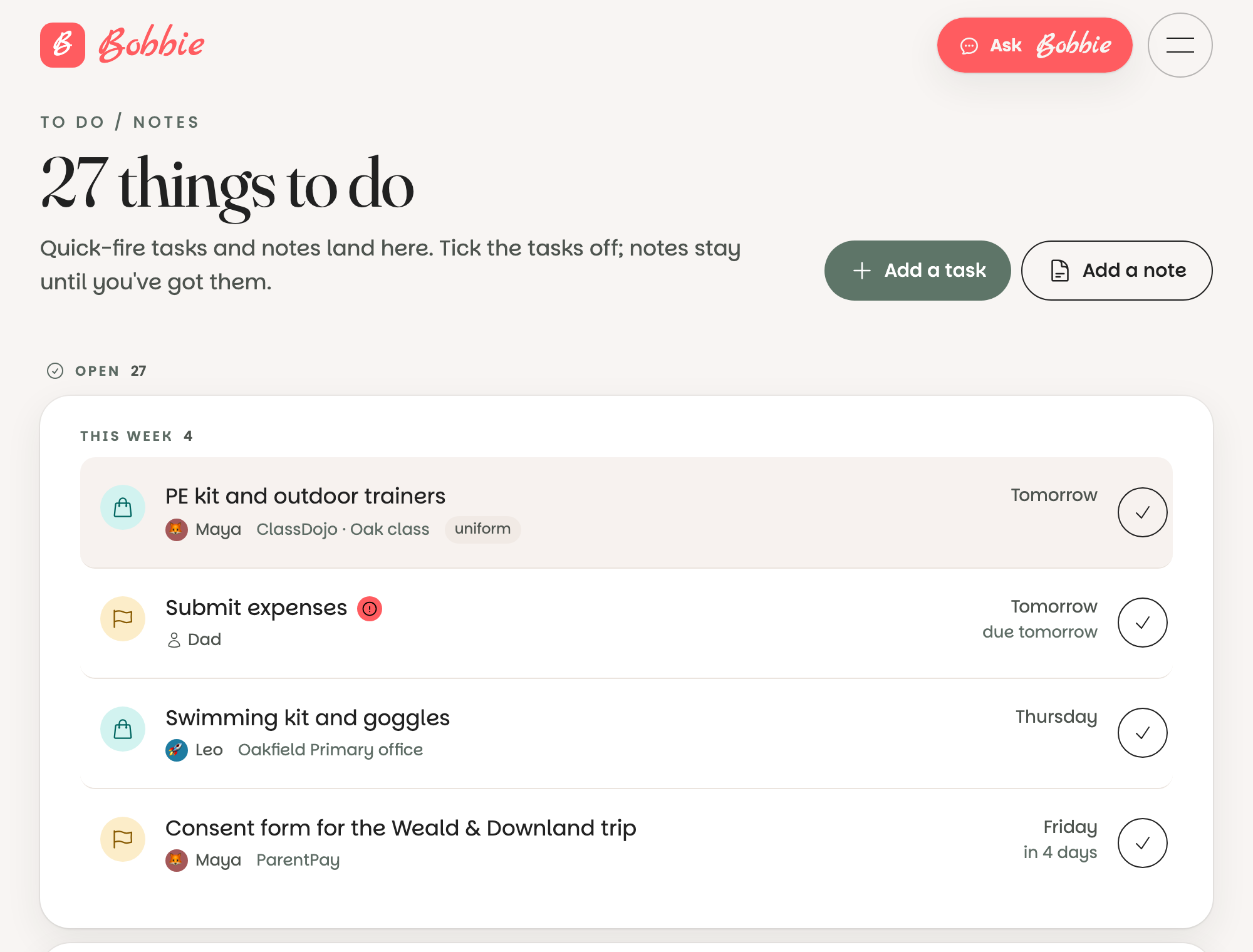
The short version. Three boards in the menu. To do for the general list, Home for jobs around the house, Bills for what the house owes. Tell Bobbie to add things, tick them off when done.
Adding things
Say it to Bobbie: "add renew the car insurance by the 20th", "remind Dad to fix the gate", "add the water bill, £64, due on the 3rd". Or press the plus on the board. Things Bobbie reads from letters that are not school (a dentist reminder, a bill) land on the right board after you confirm them.
Ticking off
Press the circle. Done things drop below with the date, and disappear from Today. Untick to bring one back.
Whose is it
Each thing can be for one or more grown-ups. "For Dad" shows on Dad's Today; nobody's shows on everyone's. A note with @Mum underneath pulls her in without changing whose it is.
What is really happening
The boards are views of the same household calendar, filtered by category. A thing can only be in one place, so moving it between boards is a matter of changing its category in the edit view.
Questions people ask
- What decides which board a thing lands on?
- Its category. School and club things live on the calendar and Payments; anything with the home category goes to the Home board; bills to Bills; the rest of the to-dos to To do. Bobbie sets the category when it reads or adds something, and you can change it.
- Can I share a board with someone outside the household?
- No. Boards belong to the household. Invite them as a Member if they should see it.