


Today and This week
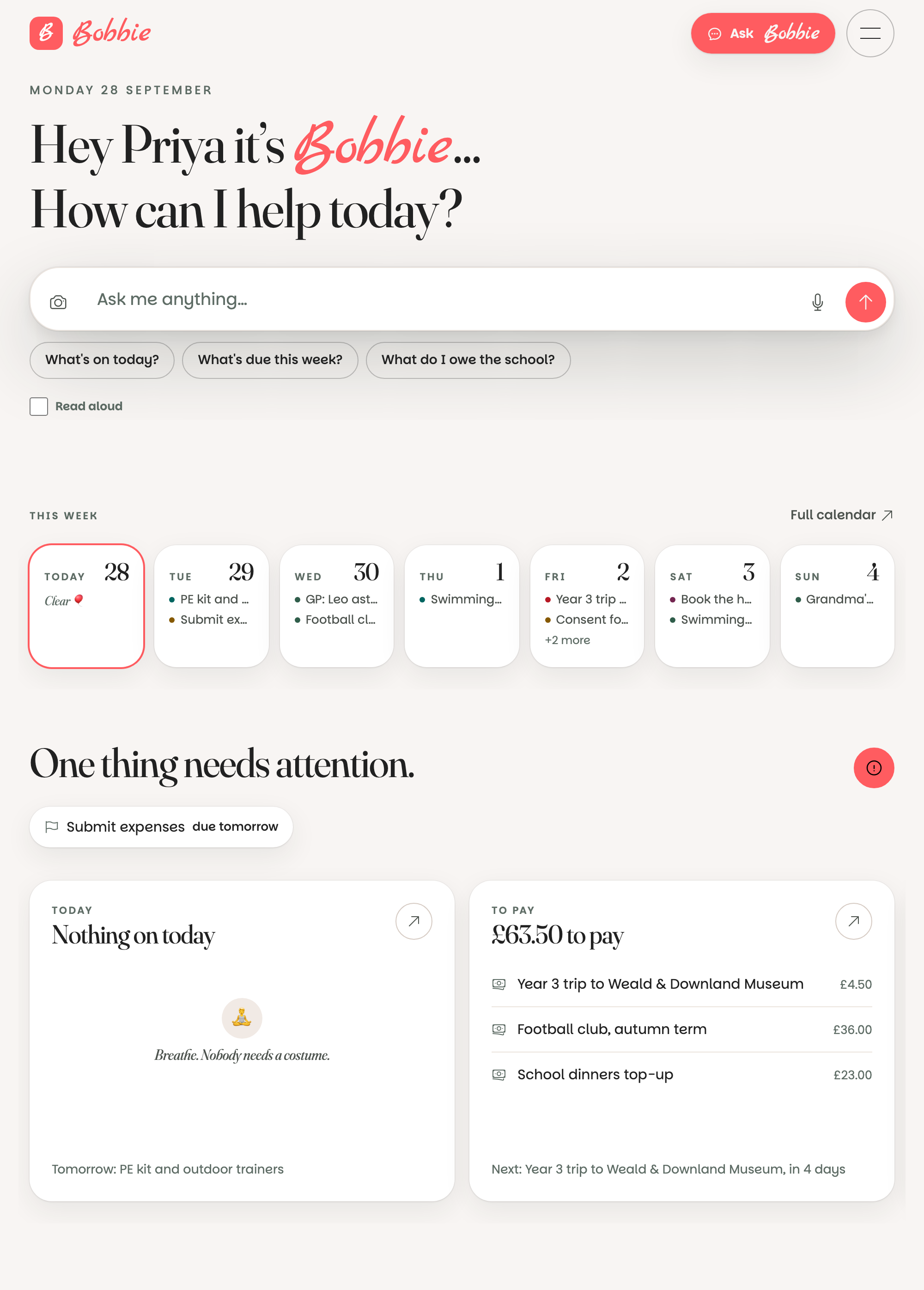
The page you land on: a greeting, the ask box, the week as a row of cards, then what is due, what is owed, what to bring, dinner, and the day's round-up. Every bit of it, explained.
Updated 28 September 20261 min read
The short version. Today is the front page. Ask Bobbie at the top, see the week below, then what needs you: things to confirm, money due, what to bring, tonight's dinner, and the round-up if one has arrived.
The top
Hey Priya, it's Bobbie. How can I help today? Then the box: type, press the microphone to speak, or the camera to send a photo. Three suggestions under it are good first questions. Tick Read aloud and Bobbie speaks its answers.
This week
Seven cards, today outlined in coral. Each shows the first things on that day, with the child's colour; +2 more means there are more. Press a card and the day opens underneath with everything on it. Full calendar takes you to the month.
Below the week
- To confirm: the first few things waiting in the Inbox, with a link to all of them.
- Money: what is due this week, and anything overdue.
- To bring or wear: kit, costumes, tins.
- Dinner tonight and tomorrow, and how the shopping list stands.
- For you: notes another grown-up has mentioned you in.
The round-up card
When a round-up has been sent (or would have been sent on WhatsApp but the day window was shut), it shows here as a card with the whole summary, until you press Dismiss. See round-ups.
The set-up card
Steps you skipped at set-up wait here. Press one to finish it, or Dismiss the card and they show as a number on the relevant tab in Settings instead.
What is really happening
Today is built fresh each time from the household's calendar and boards, in the household's own time zone. Nothing on it is cached, so a thing another grown-up confirms on their phone is on your Today the moment you open it.
Questions people ask
- Can I make Today start on a different page?
- Today is the front door on purpose: it is the whole day in one screen. The calendar, boards and settings are one tap away in the menu.
- What is the card that says things left to set up?
- The set-up steps you pressed Later on. Do them from there, or press Dismiss and they wait as a number on the relevant tab in Settings instead.