


Going through the Inbox
Everything Bobbie read waits here with the original beside it. Looks right, Not needed, or ask me tomorrow: one tap each, and why some things never come here at all.
Updated 28 September 20262 min read
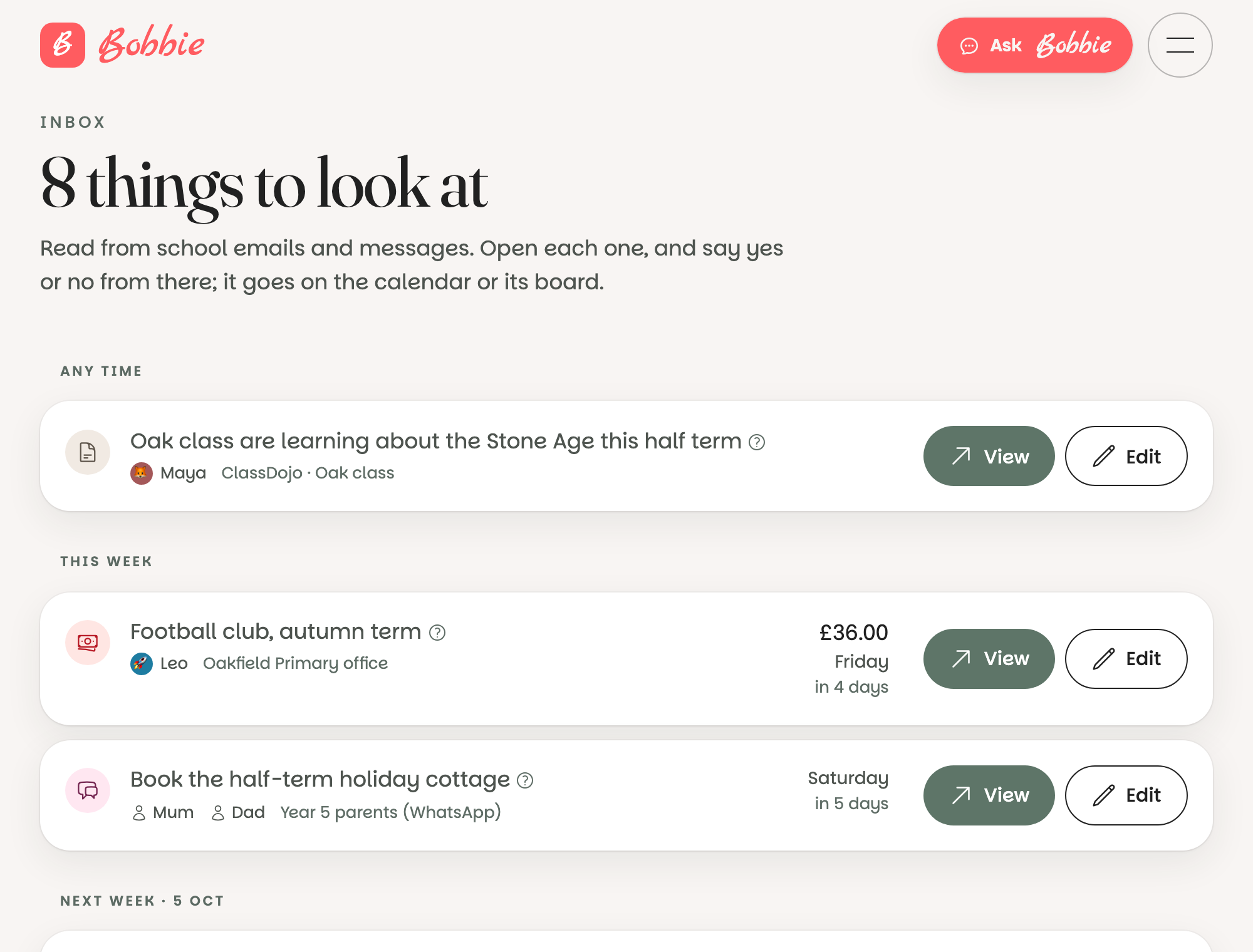
The short version. Open the Inbox from the menu. Each thing shows its title, the child, where it came from and when it is. Press View to see the original and decide: Looks right puts it on the calendar, Not needed bins it, the clock says ask me tomorrow.
Reading the list
Things are grouped by when they are: Any time for notes without a date, then This week, Next week and so on. Each row shows:
- the kind of thing (a flag for a deadline, a card for a payment, a speech bubble for a reply needed),
- the title, and a small question mark if Bobbie was unsure,
- the child it is for, and who sent it,
- the amount and the date, where there is one.
Deciding
Press View to open the item. You see the date, the children, any tags, and underneath, in quotes, the exact words from the letter it came from, so you can check without leaving the page.
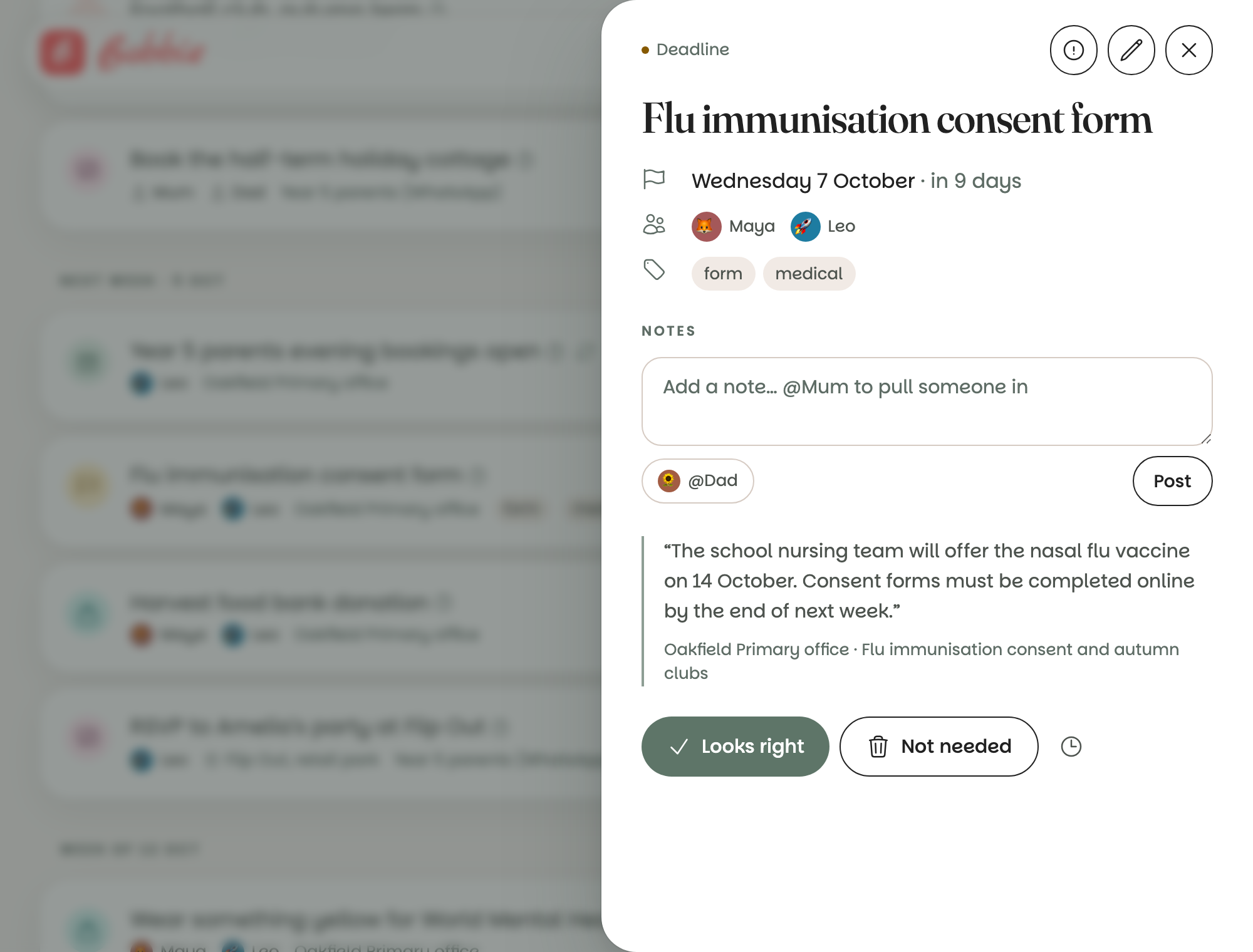
- Looks right confirms it. It goes on the calendar, Today, and the boards, and to Google if you have connected it.
- Not needed puts it in the Bin, where it stays for thirty days in case.
- The clock (ask me tomorrow) hides it until tomorrow, for things you cannot decide yet.
- The pencil edits it first: the wrong child, a better title, the right time. See editing a thing.
You can also press Edit straight from the list.
Why some things never come here
Anything from someone in your own household goes straight on. That covers what you type or say to Bobbie, what you send on a linked WhatsApp, what you share from your phone, and email that the receiving server confirms came from a grown-up's own address. The Inbox is for everyone else's words.
Doing it from WhatsApp
Say inbox to Bobbie on WhatsApp and it walks you through what is waiting, one at a time: "yes", "no", or "tomorrow" for each. See Bobbie on WhatsApp.
What is really happening
Every item carries the words it was read from and a confidence score. The Inbox is the line between what an AI read and what your family has agreed is true. Nothing crosses it without a tap from a grown-up, except your own words. Binned things are deleted after thirty days; confirmed things stay until you remove them.
Questions people ask
- Why did this go straight onto the calendar without asking me?
- Because it came from someone in your household: you, or another grown-up, by email, WhatsApp or the share sheet. Your own words do not need checking. Mail from the school or anyone else always waits here first.
- What does the little question mark mean?
- Bobbie was less sure about that one. Open it and read the quote from the letter underneath; it is usually a date it had to infer, or a child it could not be certain of.
- Can I confirm several at once?
- Not yet, on purpose. Each item is a decision about your family's calendar, and a long newsletter can produce a dozen. Going through them one at a time takes under a minute, and Bobbie on WhatsApp can walk you through them if you say inbox.